
How to Handle Returns for Online Store Efficiently with Automation Tools
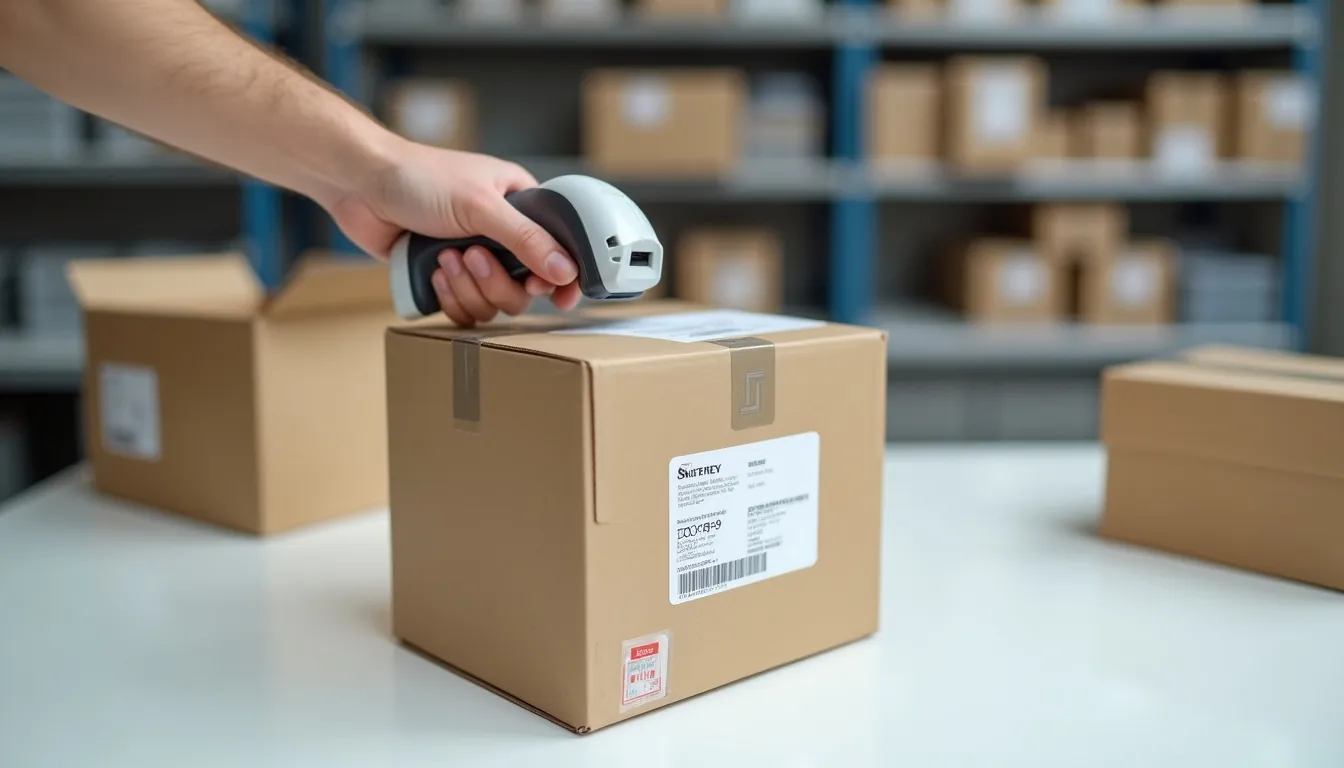
How to Handle Returns for Online Store Efficiently with Automation Tools
Running an online store is exciting, but sometimes customers need to send things back. This is called a return. Imagine an automated returns system that makes this super easy for everyone! This blog post will show you how to handle returns for online store efficiently using smart tools.
Dealing with returns can be a big headache for online shop owners. It takes a lot of time, effort, and sometimes even causes mistakes. But what if there was a magic way to make returns smooth and simple?
Good news! There is. By using special computer programs and tools, you can turn a tricky return process into something quick and easy. You will learn all about these tools today.
The Problem with Manual Returns: Why It’s a Headache
Think about handling returns all by yourself, without any help from computers. When a customer wants to send something back, they might email you. You then have to email them back, tell them what to do, and send them a shipping label.
This can take a long time, especially if many people want to return items. You might accidentally send the wrong label or forget to tell them something important. Happy customers can become unhappy very quickly if their return experience is difficult.
Manual returns also mean you have to keep track of everything by hand. Did the item arrive? Is it time for a refund? Did you update your store’s inventory? It’s a lot to remember and can lead to confusion.
The Power of Automation: Why You Need an Automated Returns System
Imagine a helpful robot that does all the boring return tasks for you. That’s what an automated return management system is like! It’s a set of computer tools that takes care of returns, making them fast and friendly. This is how to handle returns for online store with less stress.
These systems help your customers start a return themselves, get a shipping label, and track their package. They also tell you when the item is back and ready for a refund or exchange. It saves you tons of time and makes your customers much happier.
Using automation also means fewer mistakes and a clearer picture of what’s happening with your returns. You’ll know exactly where every returned item is, and when it needs to be processed. This kind of ecommerce logistics automation is a game-changer for your business.
Key Features of Ecommerce Returns Automation Tools
What exactly do these special tools do? They have many cool features that make returns a breeze. Understanding these features is key to knowing how to handle returns for online store in a modern way.
Your Customer’s Self-Service Return Portal
This is like a special page on your website where customers can start their own return. They simply enter their order number and email address. Then, they choose the item they want to return and tell you why.
It’s super easy for them because they don’t have to wait for your email. They can do it any time, day or night, which makes them feel in control and happy. This portal is a core part of effective online store return management software.
Automated Return Label Generation
Once your customer tells the system what they want to return, the tool automatically creates a shipping label. This label has all the correct addresses and information. The customer can then print it out.
No more manually creating labels or worrying about sending the wrong one. This feature saves you a lot of time and effort. It’s a huge step in efficient ecommerce returns automation tools.
Real-time Return Tracking Systems
Once the customer ships the item, the automation tool starts tracking it. You and your customer can see exactly where the package is at all times. This is like tracking a pizza delivery, but for returns!
These return tracking systems give everyone peace of mind. Your customer isn’t left wondering if their item got lost, and you know when to expect it back. This transparency is a big plus for customer trust. Many ecommerce returns automation tools offer excellent return tracking ecommerce capabilities.
Automated Refund or Exchange Initiation
When the returned item arrives back at your store or warehouse, the system knows it. It can then automatically start the process for a refund or send out a new item (an exchange). You can set rules for this to make sure everything is correct.
This means you don’t have to check every package manually. The system does the heavy lifting, making sure customers get their money back or new item quickly. This speed truly shows how to handle returns for online store professionally.
Automatic Inventory Updates
When an item is returned and put back into your stock, the system can automatically update your inventory count. This prevents you from selling an item that isn’t actually available. It’s a small detail that makes a big difference.
It keeps your stock numbers accurate, which is super important for any online store. This helps with overall ecommerce logistics automation, ensuring your stock levels are always correct.
Reporting and Analytics for Smart Decisions
These tools don’t just process returns; they also gather information. They can tell you which items are returned most often and why. This helps you learn what products might need improvement.
You can also see how long returns take and how happy your customers are with the process. This data helps you make smart choices to improve your store even more. It’s like having a special helper giving you tips to run your business better.
Step-by-Step Guide: How to Handle Returns for Your Online Store with Automation
Ready to set up your own amazing automated return system? Here’s a simple guide to get you started. Following these steps will teach you exactly how to handle returns for online store like a pro.
1. Choose the Right Online Store Return Management Software
There are many great ecommerce returns automation tools out there. Some popular ones include Returnly, Loop Returns, Happy Returns, and AfterShip Returns. You need to pick one that works well with your current online store platform (like Shopify, WooCommerce, or BigCommerce).
Think about your budget and what features are most important to you. Most tools offer a free trial, so you can test them out before you decide. This is the first and most crucial step in how to handle returns for online store using automation.
2. Set Up Your Return Policy Clearly
Even with automation, you need clear rules for returns. What can customers return? When do they need to return it by? Who pays for shipping? Make sure your return policy is easy to find on your website and easy to understand.
Your automated return management system will use these rules. So, clarity here means a smoother process later. A good policy builds trust and reduces confusion. You can check out examples of clear return policies on major retail sites like Zappos or Amazon.
3. Configure Your Automated Return Management System
Once you’ve chosen your software, it’s time to set it up. This means telling the system your return policy rules. For example, you might tell it to allow returns within 30 days and to offer store credit for sale items.
You’ll also connect it to your shipping company (like USPS or FedEx) to generate labels. Make sure it’s linked to your online store so it can see orders and update inventory. This setup phase is where your online store return management software truly comes to life.
4. Educate Your Customers
Let your customers know about your new, easy return process! You can add a link to your return portal in their order confirmation emails. Show them where to find the return link on your website.
A short, simple guide or video can also help them understand how to use your automated returns system. The easier it is for them, the happier they will be. This proactive communication is vital for a smooth process.
5. Monitor and Optimize
After setting everything up, keep an eye on how it’s working. Are customers using the system? Are there any problems? Your return tracking systems and reports will show you what’s happening.
Use the insights from your ecommerce returns automation tools to make improvements. Maybe you need to adjust your return policy slightly or change a setting in your automation software. Always look for ways to make the return experience even better. This continuous improvement is key to truly mastering how to handle returns for online store efficiently.
Deep Dive into Specific Automation Tools & Concepts
Let’s look a bit closer at what makes these tools so powerful. Understanding the gears behind the scenes will help you appreciate how much easier your life can become. This is all part of learning how to handle returns for online store using modern tech.
Different Types of Automation Tools
Some tools are like “all-in-one” solutions, managing everything from labels to refunds. Others might focus on just one part, like tracking returns. You can choose a tool that fits your specific needs. Many integrate seamlessly with your existing online store return management software.
For example, a tool like Returnly might handle the full customer-facing portal, label generation, and even advanced refund options. While a tool like AfterShip focuses heavily on return tracking ecommerce and notifications.
How Ecommerce Logistics Automation Connects Returns
Ecommerce logistics automation isn’t just about shipping out orders; it also covers bringing them back. When your return system automatically creates a shipping label, it’s talking to your shipping carrier’s system. When it tells your warehouse an item is coming back, that’s more logistics automation.
This connection makes sure that every step of the return journey is smooth and clear. It prevents lost packages and ensures items are handled correctly when they arrive back. This interconnectedness is crucial for a truly efficient system.
Understanding Return Tracking Systems in Detail
Think of return tracking systems like GPS for your packages. When a customer drops off a return, the tracking number gets scanned. This information is then sent to your automation tool.
Both you and your customer can log in and see updates: “Package picked up,” “In transit,” “Delivered.” Some systems even send automatic email or text updates. This level of detail in return tracking ecommerce builds massive customer trust. For example, tools like ShipStation (though primarily for outbound shipping, they often integrate for returns) or directly with carrier APIs provide this level of detail.
Calculate Your Return Costs
Understanding the true cost of returns can help you see the value of automation. Let’s create a simple calculator to estimate the cost of a single return. This will show you how to handle returns for online store more profitably.
1
2
3
4
5
6
7
8
9
10
11
12
13
14
15
16
17
18
19
20
21
22
23
24
25
26
27
28
29
30
31
32
33
34
35
36
37
38
39
40
41
42
43
44
45
46
47
48
49
50
51
52
53
54
55
56
57
58
59
60
61
62
63
64
65
66
67
68
69
70
71
72
73
74
75
76
77
78
79
80
81
82
83
84
85
86
87
88
89
90
91
92
93
94
95
96
97
98
99
100
101
102
103
104
105
106
107
108
109
110
111
112
113
<style>
.calculator-container {
font-family: Arial, sans-serif;
max-width: 600px;
margin: 20px auto;
padding: 20px;
border: 1px solid #ccc;
border-radius: 8px;
background-color: #f9f9f9;
}
.calculator-container h4 {
color: #333;
text-align: center;
margin-bottom: 20px;
}
.form-group {
margin-bottom: 15px;
}
.form-group label {
display: block;
margin-bottom: 5px;
font-weight: bold;
color: #555;
}
.form-group input[type="number"] {
width: calc(100% - 22px);
padding: 10px;
border: 1px solid #ddd;
border-radius: 4px;
box-sizing: border-box;
}
.result-box {
margin-top: 20px;
padding: 15px;
border: 1px solid #e0e0e0;
border-radius: 5px;
background-color: #eaf7ed;
color: #28a745;
font-weight: bold;
text-align: center;
font-size: 1.1em;
}
.result-box span {
color: #333;
}
</style>
<div class="calculator-container">
<h4>Return Cost Estimator</h4>
<p>Let's estimate the cost of one return without automation. See how much automation could save you!</p>
<div class="form-group">
<label for="shippingCost">Average Shipping Cost for a Return ($):</label>
<input type="number" id="shippingCost" value="5" min="0">
</div>
<div class="form-group">
<label for="restockingCost">Average Restocking & Inspection Cost ($):</label>
<input type="number" id="restockingCost" value="2" min="0">
</div>
<div class="form-group">
<label for="timeSpent">Time Spent Per Return (minutes):</label>
<input type="number" id="timeSpent" value="15" min="0">
</div>
<div class="form-group">
<label for="hourlyRate">Your Hourly Rate ($):</label>
<input type="number" id="hourlyRate" value="25" min="0">
</div>
<div class="result-box">
Estimated Manual Cost Per Return: $<span id="totalCost">0.00</span>
</div>
</div>
<script>
function calculateReturnCost() {
const shippingCost = parseFloat(document.getElementById('shippingCost').value) || 0;
const restockingCost = parseFloat(document.getElementById('restockingCost').value) || 0;
const timeSpent = parseFloat(document.getElementById('timeSpent').value) || 0;
const hourlyRate = parseFloat(document.getElementById('hourlyRate').value) || 0;
const timeCost = (timeSpent / 60) * hourlyRate; // Convert minutes to hours and multiply by hourly rate
const totalCost = shippingCost + restockingCost + timeCost;
document.getElementById('totalCost').textContent = totalCost.toFixed(2);
}
// Add event listeners to update calculation on input change
document.getElementById('shippingCost').addEventListener('input', calculateReturnCost);
document.getElementById('restockingCost').addEventListener('input', calculateReturnCost);
document.getElementById('timeSpent').addEventListener('input', calculateReturnCost);
document.getElementById('hourlyRate').addEventListener('input', calculateReturnCost);
// Initial calculation when the page loads
calculateReturnCost();
</script>
<script async src="https://pagead2.googlesyndication.com/pagead/js/adsbygoogle.js?client=ca-pub-2784742237479601"
crossorigin="anonymous"></script>
<ins class="adsbygoogle"
style="display:block; text-align:center;"
data-ad-layout="in-article"
data-ad-format="fluid"
data-ad-client="ca-pub-2784742237479601"
data-ad-slot="7340313511"></ins>
<script>
(adsbygoogle = window.adsbygoogle || []).push({});
</script>
<p>
**How to embed this calculator in your Jekyll blog:**
<br>
You would copy the HTML code (including the <code><style></code> and <code><script></code> tags) directly into your Markdown (.md) file where you want the calculator to appear. Jekyll will render the HTML, CSS, and JavaScript.
</p>
Try changing the numbers in the calculator above. See how quickly the cost adds up! If you have 100 returns a month, that’s a lot of money and time. This calculator helps illustrate the hidden costs and the potential savings from using ecommerce returns automation tools.
Benefits Beyond Just Processing Returns
Automation does more than just make returns easier. It brings many other great things to your online store. These extra benefits really highlight how to handle returns for online store in a way that boosts your entire business.
Building Customer Loyalty and Trust
When returns are easy and fast, customers feel good about shopping with you. They know that if something isn’t right, you’ll make it easy to fix. This makes them trust you more and want to buy from you again. Happy customers are loyal customers!
A smooth return experience can turn a potentially negative situation into a positive one. This builds your brand’s reputation and encourages word-of-mouth recommendations.
Getting Data Insights for Product Improvement
Remember how we talked about reports? These reports show you which items are returned often and why. If a lot of people return a specific T-shirt because it runs small, you know to update your sizing chart or talk to your supplier.
This feedback is gold! It helps you make your products better and avoid future returns. It’s a smart way to use data provided by your online store return management software.
Reducing Operational Costs
Even though automation tools cost money, they usually save you much more in the long run. Think about all the hours you or your staff would spend on manual returns. Automation frees up that time, which means you save money on wages.
Less time spent on returns means more time to focus on selling more products and growing your business. It’s a smart investment in your future.
Environmental Impact (if Applicable)
Some ecommerce logistics automation systems can also help you be more environmentally friendly. For example, they might suggest ways to consolidate returns or find closer return centers.
This can reduce the amount of fuel used for shipping. While not every system focuses on this, it’s an interesting aspect of optimizing logistics.
Choosing the Right Online Store Return Management Software
Picking the best online store return management software for your business is a crucial decision. It’s like choosing the right car for a long trip – you want one that’s reliable and fits your needs. Here’s what to look for when you’re thinking about how to handle returns for online store with a new tool:
Ease of Use
The software should be easy for you and your team to use. It should also be super simple for your customers. If it’s too complicated, people won’t use it, and you’ll be back to manual returns. Look for clear menus and straightforward steps.
Many ecommerce returns automation tools offer demo videos or free trials. Take advantage of these to test how intuitive the system is.
Integration with Your Current Platform
Your return software needs to talk nicely to your online store. If you use Shopify, make sure the return tool has a good Shopify app. If you use WooCommerce, ensure it integrates well with that too.
Seamless integration means less work for you and fewer problems. It allows the system to pull order data and push inventory updates automatically.
Pricing that Fits Your Budget
Automation tools come at different prices. Some might charge per return, while others have a monthly fee based on your sales. Think about how many returns you expect to have and choose a plan that makes sense for your budget.
Compare features and pricing across several ecommerce returns automation tools to find the best value.
Features Offered
Make a list of what’s most important to you. Do you need automated return labels? Return tracking ecommerce? Easy exchanges? Analytics? Some tools offer more advanced features than others.
Prioritize the features that will solve your biggest return headaches first. You might not need every single bell and whistle from day one.
Customer Support
If you run into a problem, you want help quickly. Check what kind of customer support the tool offers. Is it email, chat, or phone? Are they available during your business hours? Good support can be a lifesaver.
Read reviews to see what other users say about their support experience.
Scalability for Growth
As your online store grows, your returns might grow too. Make sure the software can handle more returns and more customers without slowing down or breaking. You want a tool that can grow with your business.
This is an important consideration for long-term automated return management.
Common Challenges and How Automation Solves Them
Even with the best intentions, returns can bring challenges. But guess what? Ecommerce returns automation tools are designed to help you tackle these head-on. This is part of how to handle returns for online store smarter, not harder.
Fraudulent Returns
Sometimes, people try to return items they didn’t buy, or send back something broken that wasn’t broken when they got it. This is called return fraud. Automation can help!
Many automated return management systems have features to flag suspicious returns. For example, if someone returns too many items, or if the reason for return seems strange. Some systems even require photos before accepting a return. This helps you identify and prevent costly fraud.
Complex Return Policies
If your return policy has lots of rules (like different rules for different product types), it can be hard to manage manually. Automation simplifies this. You can program all your rules into the system.
The system then applies the correct rules automatically when a customer starts a return. No more guessing or making mistakes based on a complicated policy. It ensures consistency in online store return management software.
Holiday Rush Returns
After big shopping holidays like Christmas, stores often get a huge wave of returns. Handling all these manually can be overwhelming and lead to long delays. This can make customers very unhappy.
An automated returns system can handle a high volume of returns without getting swamped. It keeps everything moving quickly, even during the busiest times. Your customers get their refunds faster, and you don’t feel stressed. This is a prime example of how to handle returns for online store during peak season.
Tips for a Seamless Return Experience
Even with automation, there are always ways to make the return process even better. Here are some extra tips to ensure your customers have the best experience possible when learning how to handle returns for online store perfectly.
Clear Communication is Key
Always keep your customers updated. Your return tracking systems should automatically send emails about the status of their return (e.g., “Return label created,” “Item received,” “Refund issued”).
This constant communication makes customers feel valued and informed, reducing the need for them to contact you with questions. It’s a huge benefit of integrated ecommerce returns automation tools.
Fast Processing for Refunds and Exchanges
Once a returned item is back and checked, process the refund or send out the exchange as quickly as possible. Delays here can frustrate customers, even if the initial return process was smooth.
Automation helps speed up this step by automatically initiating the refund once conditions are met. Speed is a critical factor in customer satisfaction.
Offer Multiple Return Options
Consider offering different ways for customers to return items. Some might prefer to print a label and drop it off. Others might like a QR code they can show at a shipping store without needing a printer.
Some ecommerce returns automation tools even integrate with drop-off locations, making it super convenient for customers. This flexibility shows you truly understand how to handle returns for online store from a customer-centric view.
Conclusion
Learning how to handle returns for online store efficiently is no longer a mystery. With the amazing ecommerce returns automation tools available today, you can turn a challenging part of your business into a smooth, simple process. From automated return management to robust return tracking systems, automation saves you time, money, and headaches.
It makes your customers happier, helps you understand your products better, and lets you focus on growing your online store. So, don’t let returns slow you down. Explore an automated returns system today and transform your online business! It’s one of the best investments you can make for efficiency and customer satisfaction.
FAQ Section
H5: What is an automated return management system?
An automated return management system is a special computer program or tool that helps online stores handle customer returns without much manual work. It can create return labels, track packages, and process refunds automatically. It’s designed to make returns fast and easy for both you and your customers.
H5: How do ecommerce returns automation tools help my business?
These tools help your business by saving you time and money. They reduce mistakes, keep your inventory accurate, and provide data to help you improve your products. Most importantly, they make the return experience so smooth that your customers are happier and more likely to shop with you again.
H5: Is return tracking ecommerce important?
Yes, return tracking ecommerce is very important! It allows both you and your customer to see where a returned package is at all times. This transparency builds trust and reduces anxiety for the customer, as they know their return is on its way and won’t get lost. It also helps you prepare for the item’s arrival.
H5: Can I really use an automated system to handle returns for my online store?
Absolutely! Many online store return management software options are available for businesses of all sizes, from small shops to big companies. They integrate with popular platforms like Shopify, WooCommerce, and BigCommerce, making them easy to set up and use.
H5: What should I look for in an online store return management software?
When choosing online store return management software, look for something that is easy to use, integrates well with your existing online store platform, offers the features you need (like automated labels, tracking, and refunds), fits your budget, and has good customer support.
H5: Will an automated system prevent return fraud?
While no system can stop all fraud, many ecommerce returns automation tools include features to help prevent it. They can flag suspicious returns, require photos of items, and keep a history of customer return behavior. This helps you identify and deal with potentially fraudulent returns more effectively.
H5: How much does an automated returns system cost?
The cost varies a lot depending on the features and the provider. Some systems charge a monthly fee, while others might charge per return or based on your sales volume. Many offer different pricing tiers, so you can choose one that fits your budget and the volume of returns you handle.




Leave a comment