
Ecommerce Basics for Small Business Owners: How to Launch Your First Online Store
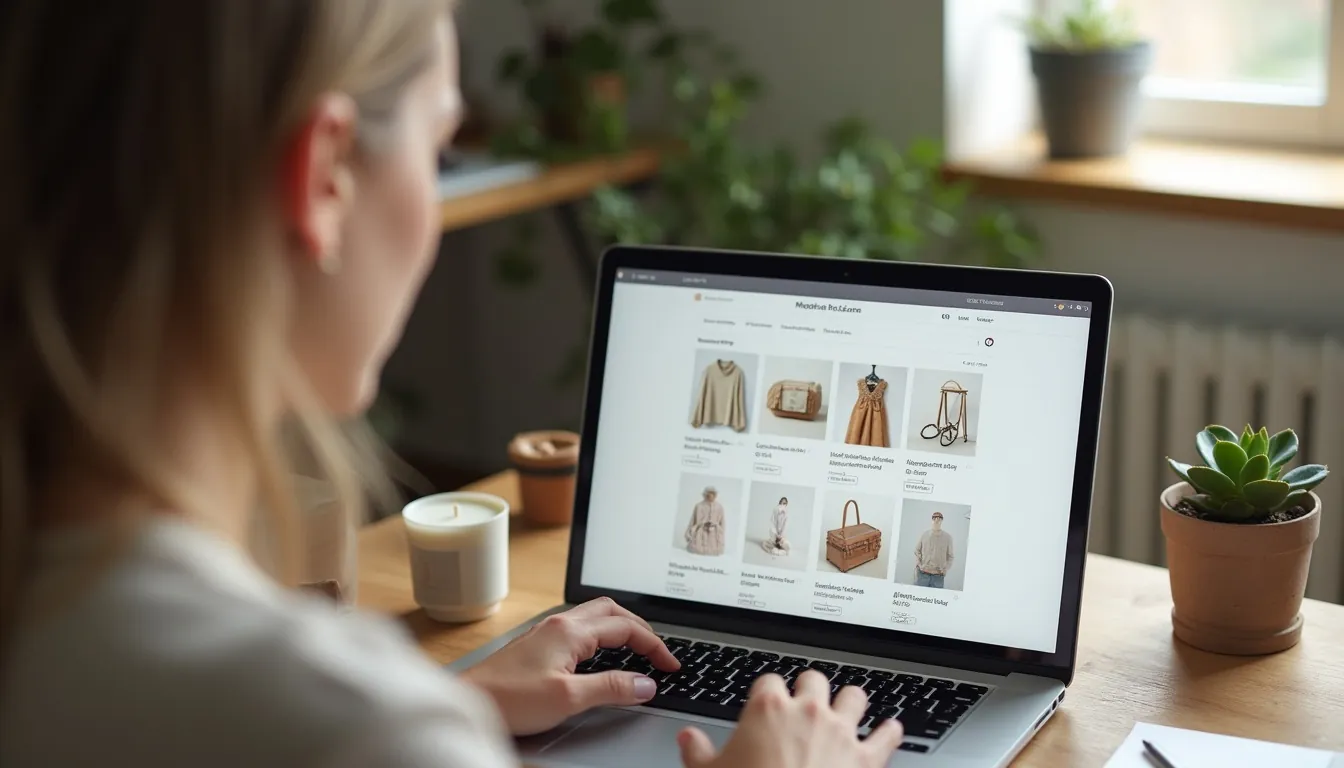
It’s an exciting time to think about your first online store launch! Many small businesses are now selling their amazing products and services on the internet. This guide will walk you through the ecommerce basics for small business owners, making it easy to understand. You’ll learn how to get your own shop online, even if you’re just starting.
Selling online means you can reach more customers than ever before. You don’t need a big, fancy shop on a busy street. With a computer and some good ideas, you can start your digital journey today. Let’s explore how to launch your very first online store.
Why You Need to Start Ecommerce for Small Business Today
Starting an online store opens up a whole new world for your business. Imagine being open for customers 24 hours a day, 7 days a week. That’s exactly what digital selling for local businesses allows you to do. You can make sales even when you’re sleeping.
Your customers aren’t just in your town anymore; they can be anywhere in the world. This means more people can find your wonderful products or services. It’s a fantastic way to grow your small business beyond your wildest dreams. You’ll discover new opportunities that a physical shop just can’t offer.
Selling online also helps you understand your customers better. You can see what they like, what they buy, and what they look at most. This information helps you make smarter choices for your business. It’s truly a game-changer for any small business owner.
Step 1: Planning Your Online Store Creation Guide
Before you build anything, you need a good plan. Think of it like drawing a map before you start a big trip. This step is about figuring out what you want to sell and who you want to sell it to. It’s a crucial part of your ecommerce basics for small business owners.
You need to know what makes your business special. What do you offer that other shops don’t? This unique quality will help you stand out from the crowd. Planning carefully now will save you a lot of time and effort later on.
What Are You Selling? (Your Niche and Products)
First, decide what products or services you want to sell online. Are you selling handmade jewelry, unique t-shirts, digital art, or perhaps local honey? Your product is the heart of your online store. Make sure it’s something you’re passionate about.
Think about what problem your product solves or how it makes someone’s life better. For example, if you sell handmade soap, maybe it’s great for sensitive skin. This focus helps you find the right customers. It is a core ecommerce startup tip.
It’s okay to start with just a few products and grow from there. Don’t feel like you need to have everything ready on day one. Quality often beats quantity when you’re just getting started.
Physical Products vs. Digital Products
You can sell many different types of items online. Physical products are things you can touch, like clothes, books, or toys. You will need to store and ship these items to your customers.
Digital products are things like e-books, online courses, music, or printables. You don’t need to ship them because customers can download them instantly. They are often easier to manage after the initial creation.
Where Do Your Products Come From?
- Handmade: You make the products yourself (e.g., crafts, baked goods). This gives your store a unique touch.
- Existing Inventory: You already have products from a physical store or another venture. This is a great way to expand.
- Dropshipping: You sell products from a supplier without holding them yourself. When a customer buys something, the supplier ships it directly to them. This can reduce your initial costs.
- Wholesale: You buy products in bulk from a supplier at a lower price and then sell them at a higher price. This often requires more upfront investment but gives you control over inventory.
Who Are Your Customers? (Target Audience)
Knowing who you’re selling to is just as important as knowing what you’re selling. Are your customers young or old? Do they live in big cities or small towns? What are their interests?
Understanding your target audience helps you choose the right words and pictures for your store. It also helps you decide where to promote your products online. You want to talk to the people who are most likely to buy from you. This is an important ecommerce startup tip.
Imagine your ideal customer as a real person. What do they do for fun? What problems do they face that your product can solve? The more you know about them, the better you can serve them.
What Makes You Special? (Unique Selling Proposition - USP)
Why should someone buy from you instead of another store? Your Unique Selling Proposition is that special thing that sets you apart. Maybe your products are eco-friendly, or you offer super fast shipping, or your customer service is amazing.
Think about what makes your brand unique and highlight it. This is how you create a loyal following of customers. Don’t be afraid to show off what makes your small business wonderful.
For example, if you sell artisanal coffee, your USP might be “ethically sourced beans from a single farm in Colombia, roasted fresh every week.” This tells customers exactly what makes you special. Your USP is vital for your first online store launch.
Step 2: Choosing Your Ecommerce Platform (Online Store Setup for Beginners)
Now that you have your plan, it’s time to pick the right tool to build your store. This is like choosing the right kind of car for your big trip. An online store creation guide must cover this crucial step. The platform is where your products will live and where customers will buy them.
There are many different types of ecommerce platforms available. Some are easy for beginners, while others offer more advanced options. Don’t worry, we’ll break them down simply for you. This choice is key for a smooth small business ecommerce setup.
Understanding Ecommerce Platforms
An ecommerce platform is software that helps you create and manage an online store. It handles things like showing your products, taking payments, and keeping track of orders. You don’t need to be a computer expert to use them.
You can think of it as a virtual shop manager. It helps you organize your shelves, process customer orders, and even make sure your shop looks nice. Choosing the right one is a big part of ecommerce basics for small business owners.
Hosted vs. Self-Hosted Platforms
- Hosted Platforms: These are like renting an apartment. The platform company takes care of all the technical stuff, like security and updates. You pay a monthly fee, and they handle everything. Examples include Shopify and Squarespace. These are often great for online store setup for beginners.
- Self-Hosted Platforms: These are like owning your own house. You have full control over everything, but you’re also responsible for all the technical maintenance, like finding a place to put your website (web hosting) and keeping it secure. WooCommerce (which works with WordPress) is a popular self-hosted option. This requires a bit more technical know-how.
Popular Ecommerce Platforms Compared
Let’s look at some popular options for your small business ecommerce setup. Each has its own strengths, so you can pick the one that fits you best.
| Platform | Best For | Pros | Cons | Pricing (Approx. monthly) |
|---|---|---|---|---|
| Shopify | Dedicated online stores, scaling up | Very easy to use, great support, lots of features, mobile-friendly. | Monthly fees, transaction fees if not using Shopify Payments. | $29 - $299+ |
| WooCommerce | WordPress users, full control, custom designs | Free (plugin), highly customizable, no transaction fees, powerful. | Requires technical setup (hosting, WordPress), ongoing maintenance. | $0 (plugin) + hosting |
| Squarespace | Beautiful design, simple portfolios, services | Great for visual products, easy drag-and-drop, website and store. | Less robust ecommerce features than Shopify, limited apps. | $23 - $49+ |
| Etsy | Handmade goods, vintage items, art | Huge built-in audience, low barrier to entry, easy setup. | Less control over branding, higher transaction fees, more competition. | $0 (listing fees) |
(Note: Pricing can change and is a general estimate. Always check current platform websites for exact details.)
Which Platform is Right for You?
- If you want something super easy and all-in-one: Shopify is often the top choice for start ecommerce for small business. It handles almost everything for you.
- If you already have a WordPress website and want full control: WooCommerce is a powerful option. It gives you lots of freedom to customize.
- If you care a lot about beautiful website design and also offer services: Squarespace is a strong contender. It makes your products look stunning.
- If you sell unique handmade items and want to start with a ready-made audience: Etsy is fantastic for getting your first online store launch going quickly.
Take your time to explore a few options. Most platforms offer a free trial so you can try them out. This way, you can see which one feels best for your online store creation guide.
Step 3: Setting Up Your Small Business Ecommerce Setup
Once you’ve picked your platform, it’s time to actually build your store! This is where your first online store launch starts to take shape. Don’t worry, it’s not as hard as it sounds. We’ll go through each step together. This section is all about the practical ecommerce basics for small business owners.
Picking a Memorable Domain Name
Your domain name is your website’s address on the internet. For example, Google’s domain name is google.com. You want something easy to remember and spell. It should ideally relate to your business name or what you sell.
Try to keep it short and simple. Avoid numbers and hyphens if you can. You can usually buy a domain name directly through your chosen ecommerce platform or from a domain registrar like Namecheap or GoDaddy. A good domain name is key for your digital selling for local businesses.
Most domain names end in .com, but you can also choose .net, .org, or even newer ones like .store or .shop. Pick one that feels right for your brand. This small step is a big part of your small business ecommerce setup.
Designing Your Store’s Look and Feel
This is where you make your shop look pretty! Your chosen platform will have “themes” or “templates” you can use. These are pre-made designs that you can customize with your colors, fonts, and logos. Think about what your brand looks like.
You want your store to be easy to use and navigate. Customers should be able to find what they’re looking for without getting lost. A clean, professional look builds trust with your visitors.
Most themes are designed to look good on phones and tablets too. This is super important because many people shop on their mobile devices. Always test your store on different devices before you launch. This is a crucial ecommerce startup tip.
Adding Your Products with Care
Now it’s time to put your products on your digital shelves! For each product, you’ll need:
- Amazing Photos: High-quality photos are a must. They show customers exactly what they’re buying. Take clear, bright pictures from different angles. Use good lighting!
- Clear Descriptions: Write engaging descriptions that tell customers about the product. What are its features? What are its benefits? How will it make their life better? Use words your target audience will understand.
- Pricing: Set a fair price that covers your costs and gives you a profit.
- Inventory: Keep track of how many items you have in stock. Your platform will help you manage this.
- Variations: If your product comes in different colors, sizes, or materials, make sure to add these options.
Think of yourself as the customer. What information would you want to know before buying this product? Provide all those details clearly. Good product listings are central to your online store creation guide.
Secure Payment Solutions
How will your customers pay you? You need a way to securely accept money online. This is done through “payment gateways.” These are trusted services that handle credit card transactions and other payment methods.
Popular payment gateways include:
- PayPal: Very well-known and trusted by many customers.
- Stripe: Another popular choice, known for being developer-friendly but also easy for merchants.
- Shopify Payments: Shopify’s built-in payment processor, often with lower fees for Shopify users.
- Apple Pay/Google Pay: Allow customers to pay quickly with their phone.
Your platform will guide you on how to set up these payment options. Always choose trusted providers to keep your customers’ information safe. Security is a cornerstone of ecommerce basics for small business owners.
Figuring Out Shipping and Fulfillment
If you’re selling physical products, you need a plan for how to get them to your customers. This is called “fulfillment.”
Shipping Options
- Shipping Carriers: Decide which companies you’ll use (e.g., USPS, FedEx, UPS, DHL).
- Shipping Rates: How much will you charge for shipping?
- Flat Rate: Charge the same amount for all orders or certain order sizes.
- Free Shipping: Offer free shipping to attract customers (build the cost into your product price).
- Calculated Rates: The shipping cost is calculated based on the customer’s location, package weight, and size. Your platform often integrates with carriers to do this automatically.
- Packaging: You’ll need boxes, envelopes, and packing materials to protect your products. Consider eco-friendly options.
Order Fulfillment Process
- Receive Order: A customer places an order on your store.
- Process Order: You get a notification, print the packing slip.
- Pick & Pack: You find the item, carefully pack it.
- Ship: You print a shipping label, attach it, and send the package.
- Track: Provide the customer with a tracking number so they can see where their package is.
This process might seem like a lot, but your ecommerce platform will help you manage it. Take your time to set up your shipping zones and rates accurately. Getting shipping right is a huge ecommerce startup tip.
Ecommerce Startup Cost Estimator
Understanding the costs involved in starting your online store is super important. It helps you budget and avoid surprises. This calculator will give you a rough idea of what you might spend when you start ecommerce for small business.
Remember, these are estimates! Your actual costs might be different depending on your choices.
How to Use the Calculator:
Enter the estimated monthly costs for each item. The calculator will then show you the total estimated monthly cost and a rough estimate for your first three months. This helps you with your ecommerce basics for small business owners financial planning.
1
2
3
4
5
6
7
8
9
10
11
12
13
14
15
16
17
18
19
20
21
22
23
24
25
26
27
28
29
30
31
32
33
34
35
36
37
38
39
40
41
42
43
44
45
46
47
48
49
50
51
52
53
54
55
56
57
58
59
60
61
62
63
64
65
66
67
68
69
70
71
72
73
74
75
76
77
78
79
80
81
82
83
84
85
86
87
88
89
90
91
92
93
94
95
96
97
98
99
100
101
102
103
104
105
106
107
108
109
110
111
112
113
114
115
116
117
118
119
120
121
122
123
124
125
126
127
128
129
130
131
132
133
134
135
136
137
138
139
140
141
142
143
144
145
146
147
148
149
150
151
152
153
154
155
156
157
158
159
160
161
162
163
164
<div class="calculator-container">
  <h3>Your First Online Store Launch Cost Estimator</h3>
  <p>Fill in the estimated monthly costs for your initial setup.</p>

  <div class="input-group">
    <label for="platformFee">Ecommerce Platform Fee (e.g., Shopify Basic):</label>
    <input type="number" id="platformFee" value="29" min="0">
    <span>$/month</span>
  </div>

  <div class="input-group">
    <label for="domainCost">Domain Name (Avg. monthly equivalent):</label>
    <input type="number" id="domainCost" value="1.25" min="0">
    <span>$/month (e.g., $15/year = $1.25/month)</span>
  </div>

  <div class="input-group">
    <label for="themeCost">Premium Theme/Design (Avg. monthly equivalent):</label>
    <input type="number" id="themeCost" value="8" min="0">
    <span>$/month (e.g., $96 one-time = $8/month for a year)</span>
  </div>

  <div class="input-group">
    <label for="appCost">Apps/Plugins (Monthly subscriptions):</label>
    <input type="number" id="appCost" value="15" min="0">
    <span>$/month</span>
  </div>


<script async src="https://pagead2.googlesyndication.com/pagead/js/adsbygoogle.js?client=ca-pub-2784742237479601"
     crossorigin="anonymous"></script>
<ins class="adsbygoogle"
     style="display:block; text-align:center;"
     data-ad-layout="in-article"
     data-ad-format="fluid"
     data-ad-client="ca-pub-2784742237479601"
     data-ad-slot="7340313511"></ins>
<script>
     (adsbygoogle = window.adsbygoogle || []).push({});
</script>


  <div class="input-group">
    <label for="marketingCost">Initial Marketing Budget:</label>
    <input type="number" id="marketingCost" value="50" min="0">
    <span>$/month</span>
  </div>

  <div class="input-group">
    <label for="productSourcing">Product Sourcing/Inventory (Avg.):</label>
    <input type="number" id="productSourcing" value="100" min="0">
    <span>$/month (If applicable)</span>
  </div>

  <button onclick="calculateCosts()">Calculate Costs</button>

  <div class="results">
    <h4>Estimated Costs:</h4>
    <p>Monthly Total: <span id="monthlyTotal">$0.00</span></p>
    <p>First 3 Months Estimate: <span id="threeMonthTotal">$0.00</span></p>
  </div>
</div>

<style>
  .calculator-container {
    font-family: Arial, sans-serif;
    background-color: #f9f9f9;
    border: 1px solid #ddd;
    border-radius: 8px;
    padding: 20px;
    max-width: 600px;
    margin: 30px auto;
    box-shadow: 0 4px 8px rgba(0,0,0,0.1);
  }
  .calculator-container h3 {
    text-align: center;
    color: #333;
    margin-bottom: 20px;
  }
  .calculator-container p {
    font-size: 0.9em;
    color: #555;
    margin-bottom: 15px;
  }
  .input-group {
    display: flex;
    align-items: center;
    margin-bottom: 15px;
    flex-wrap: wrap;
  }
  .input-group label {
    flex: 1;
    min-width: 200px;
    margin-right: 10px;
    font-weight: bold;
    color: #444;
  }
  .input-group input[type="number"] {
    width: 80px;
    padding: 8px;
    border: 1px solid #ccc;
    border-radius: 4px;
    font-size: 1em;
    text-align: right;
  }
  .input-group span {
    margin-left: 5px;
    font-size: 0.9em;
    color: #666;
  }
  .calculator-container button {
    display: block;
    width: 100%;
    padding: 12px;
    background-color: #007bff;
    color: white;
    border: none;
    border-radius: 5px;
    font-size: 1.1em;
    cursor: pointer;
    transition: background-color 0.3s ease;
    margin-top: 20px;
  }
  .calculator-container button:hover {
    background-color: #0056b3;
  }
  .results {
    margin-top: 25px;
    padding-top: 15px;
    border-top: 1px solid #eee;
  }
  .results h4 {
    color: #333;
    margin-bottom: 10px;
  }
  .results p {
    font-size: 1.1em;
    font-weight: bold;
    color: #007bff;
  }
  .results span {
    color: #28a745;
  }
</style>

<script>
  function calculateCosts() {
    const platformFee = parseFloat(document.getElementById('platformFee').value) || 0;
    const domainCost = parseFloat(document.getElementById('domainCost').value) || 0;
    const themeCost = parseFloat(document.getElementById('themeCost').value) || 0;
    const appCost = parseFloat(document.getElementById('appCost').value) || 0;
    const marketingCost = parseFloat(document.getElementById('marketingCost').value) || 0;
    const productSourcing = parseFloat(document.getElementById('productSourcing').value) || 0;

    const monthlyTotal = platformFee + domainCost + themeCost + appCost + marketingCost + productSourcing;
    const threeMonthTotal = monthlyTotal * 3;

    document.getElementById('monthlyTotal').textContent = `$${monthlyTotal.toFixed(2)}`;
    document.getElementById('threeMonthTotal').textContent = `$${threeMonthTotal.toFixed(2)}`;
  }

  // Calculate on load with default values
  window.onload = calculateCosts;
</script>
This calculator helps you get a grip on the money you might need. It’s a key ecommerce startup tip to understand your finances upfront. Don’t forget other potential costs like professional product photography or legal fees.
Step 4: Marketing Your First Online Store Launch
Building your store is only half the battle; people need to know it exists! Marketing is how you tell the world about your amazing products. This is where your digital selling for local businesses really kicks in. You want to attract visitors who will become loyal customers.
Don’t be intimidated; there are many simple ways to get the word out. You don’t need a huge budget to start. Focus on genuine connections and providing value. Effective marketing is essential for your first online store launch.
Getting Found with Search Engines (SEO)
SEO stands for Search Engine Optimization. It’s about making your website show up higher in search results on Google, Bing, and other search engines. When someone searches for “handmade dog collars,” you want your store to appear near the top.
This is a powerful way to get free traffic to your store. It requires a bit of effort but pays off over time. Think about the words your customers would type into a search engine. Using relevant keywords naturally in your product titles and descriptions is a good ecommerce startup tip.
Key SEO Tips for Small Businesses:
- Keywords: Use words and phrases that customers search for. For example, if you sell artisanal candles, use “natural soy candles,” “handmade scented candles,” or “eco-friendly candles.”
- Product Descriptions: Write clear, detailed, and keyword-rich descriptions for every product. Don’t just list features; talk about benefits.
- Blog Posts: Write articles related to your products or niche. For example, if you sell hiking gear, write a blog post about “Top 5 Hiking Trails for Beginners.” This helps attract more visitors.
- Image Alt Text: Describe your product images using keywords. This helps search engines understand what the image is about.
- Mobile-Friendly: Ensure your store looks good and works well on phones. Google prefers mobile-friendly websites.
You can learn more about SEO with free guides from Google. Search for “Google SEO starter guide” to get started. Learning these ecommerce basics for small business owners will help you big time.
Social Media Magic
Social media is a fantastic way to connect with your customers. Platforms like Instagram, Facebook, Pinterest, and TikTok can showcase your products and brand personality. Choose the platforms where your target audience spends most of their time.
Share engaging content like beautiful product photos, behind-the-scenes glimpses, or customer testimonials. Ask questions and interact with your followers. Social media builds a community around your brand.
For example, if you sell unique art prints, Pinterest and Instagram are perfect for visual sharing. If you sell quirky t-shirts, TikTok might be great for showing off new designs. Each platform offers unique ways for digital selling for local businesses.
Social Media Tips:
- Consistency: Post regularly, but don’t spam.
- High-Quality Visuals: Use clear, attractive photos and videos.
- Engage: Respond to comments and messages. Ask questions.
- Use Hashtags: Hashtags help people find your content.
- Tell Your Story: People connect with authentic brands. Share your journey.
Building Customer Relationships with Email Marketing
Email marketing is still one of the most powerful tools for online businesses. You can collect email addresses from visitors to your store (with their permission, of course!). Then, you can send them newsletters, promotions, or updates about new products.
Tools like Mailchimp or Constant Contact make it easy to send professional-looking emails. Start by offering a small discount for signing up for your email list. This is a classic ecommerce startup tip.
Emails help you stay in touch with customers and encourage repeat purchases. It’s a direct line of communication that you own, unlike social media where platforms can change their rules. Building an email list is crucial for long-term success.
What to Send in Your Emails:
- Welcome Series: A few emails to new subscribers, introducing your brand.
- Product Launches: Announce new items.
- Promotions/Sales: Offer discounts or special deals.
- Blog Updates: Share your latest content.
- Behind-the-Scenes: Show your personality and how your products are made.
Paid Advertising (Briefly)
If you have a budget, paid advertising can quickly bring traffic to your store. Platforms like Google Ads or Facebook Ads allow you to target specific groups of people. You pay when someone clicks on your ad or sees it a certain number of times.
This can be a quick way to get your first online store launch in front of many eyes. However, it requires careful management to ensure you’re getting a good return on your investment. Start small if you decide to try paid ads and learn as you go. Many online store setup for beginners eventually explore this.
Step 5: Managing Your Online Business
Launching your store is just the beginning! Running an online business means managing orders, helping customers, and learning from your sales data. These ongoing tasks are key ecommerce basics for small business owners.
It’s about making sure everything runs smoothly so your customers have a great experience. Good management builds trust and encourages repeat business. You want your customers to be happy and to come back again and again.
Smooth Order Processing
Once a customer places an order, you need to process it quickly and efficiently. Your ecommerce platform will have an “orders” section where you can see new purchases.
Steps for Order Processing:
- Review the Order: Check the items, shipping address, and payment status.
- Fulfill the Order: Pick the products from your inventory, pack them carefully, and attach the shipping label.
- Update Status: Mark the order as “fulfilled” or “shipped” in your platform.
- Notify Customer: Your platform can automatically send an email with tracking information to the customer.
Speed and accuracy are important here. Customers love getting their items quickly and knowing where their package is. This attention to detail reflects well on your small business ecommerce setup.
Excellent Customer Support
Customers will sometimes have questions or issues. Providing great customer service is crucial for building a good reputation. Happy customers are more likely to buy from you again and tell their friends.
Ways to Provide Support:
- Email: Set up a dedicated email address for support questions (e.g., support@yourstore.com).
- Live Chat: Some platforms offer live chat features, allowing customers to get instant answers.
- FAQ Page: Create a page on your website with answers to common questions (shipping, returns, sizing, etc.).
- Phone (Optional): If you’re comfortable, offer a phone number for direct support.
Be kind, patient, and helpful. Even if you can’t solve a problem immediately, communicate clearly and keep the customer updated. Good customer service is a powerful ecommerce startup tip.
Returns and Refunds
Sometimes customers might need to return an item. Have a clear and fair return policy clearly stated on your website. This builds trust. Make the process as easy as possible for the customer.
Clearly explain:
- How long they have to return an item.
- What condition the item needs to be in.
- Who pays for return shipping.
- How they will receive their refund (e.g., store credit, original payment method).
A simple, straightforward return process can turn a potentially negative experience into a positive one. It shows you stand behind your products. A transparent return policy helps your digital selling for local businesses.
Learning from Your Store’s Data (Analytics)
Your ecommerce platform will have “analytics” or “reports” sections. These show you important information about your store’s performance. You can see things like:
- How many visitors you get.
- Which products are most popular.
- Where your customers come from.
- How much money you’re making.
Reviewing this data regularly helps you make smart decisions. If a product isn’t selling well, maybe its photos need improvement or its description needs work. If a marketing campaign is bringing lots of visitors but few sales, you might need to adjust your message. Learning from your data is an advanced ecommerce basics for small business owners skill that you’ll build over time.
Google Analytics is another free and powerful tool you can connect to your store. It provides even deeper insights into your website traffic. You can learn how to use it by searching for “Google Analytics for beginners.”
Ecommerce Startup Tips for Success
To truly succeed with your first online store launch, keep these helpful tips in mind. They are simple but powerful ways to ensure your small business ecommerce setup thrives.
- Start Small and Learn: You don’t need to be perfect on day one. Launch with a few products and improve as you go. The most important thing is to start.
- Focus on Customer Experience: Make it easy and enjoyable for customers to shop with you. Great service, clear information, and a smooth checkout process are key.
- Take Amazing Product Photos: High-quality visuals are your silent salesperson online. Invest time or a little money into making your products look their best.
- Be Patient and Persistent: Building a successful online store takes time and effort. Don’t get discouraged by slow sales at first. Keep learning, keep improving, and keep trying new things.
- Stay Organized: Keep good records of your inventory, sales, and customer information. This will save you headaches later.
- Embrace Feedback: Listen to what your customers say, both good and bad. Use their feedback to make your store and products even better.
- Keep Learning: The world of ecommerce is always changing. Read blogs, watch videos, and stay updated on new trends and tools. There are always more ecommerce basics for small business owners to learn.
- Tell Your Story: People connect with brands that have a personality and a story. Share what inspired you to start your business. This helps with digital selling for local businesses.
- Don’t Be Afraid to Ask for Help: If you get stuck, look for online communities, support forums for your platform, or even hire a freelancer for specific tasks.
Common Mistakes to Avoid When You Start Ecommerce for Small Business
Launching an online store is exciting, but there are a few bumps you can avoid on the road. Knowing these common pitfalls can save you time and money. Here are some things to watch out for as part of your online store creation guide.
- Ignoring Mobile Users: Many people shop on their phones. If your store doesn’t look good or is hard to use on a mobile device, you’ll lose customers. Always test your site on phones and tablets.
- Poor Product Photos: Blurry, dark, or unappealing photos are a big turn-off. Your photos are your customers’ first impression of your product. Invest in good lighting and clear shots.
- Hidden Costs: Be transparent about all costs, including shipping and taxes. Surprise fees at checkout often lead to customers abandoning their carts. Clear pricing builds trust.
- Bad Customer Service: Slow responses, unhelpful answers, or a difficult return process can quickly damage your reputation. Treat every customer interaction as a chance to shine.
- No Clear Call to Action: Make it obvious what you want customers to do. Use clear buttons like “Add to Cart,” “Shop Now,” or “Learn More.” Don’t make them guess.
- Forgetting SEO: If search engines can’t find your products, customers won’t either. Take the time to use keywords and optimize your product listings.
- No Marketing Plan: Building a great store isn’t enough; you need to tell people about it. Have a plan for how you’ll attract visitors.
- Overcomplicating Things: Don’t try to do everything at once. Start simple, get your core business running, and then add more features or products later. This is a crucial ecommerce startup tip.
- Not Testing Your Store: Before you launch, pretend you’re a customer. Go through the entire shopping process, from browsing to checkout. Make sure everything works perfectly.
- Ignoring Legal Requirements: Understand taxes, privacy policies, and terms of service for your region. Most platforms have templates to help with this.
By being aware of these common mistakes, you can give your first online store launch the best chance of success. Your online store setup for beginners journey will be much smoother.
Conclusion
Congratulations! You’ve taken the first big steps towards your first online store launch. We’ve covered the ecommerce basics for small business owners, from planning your products to choosing a platform, setting up your shop, marketing it, and managing your daily operations. You now have a solid online store creation guide to follow.
Remember, starting an online business is a journey, not a sprint. There will be things to learn and challenges to overcome. But with patience, dedication, and a focus on your customers, you can build a successful online store. Your small business ecommerce setup is within reach.
Embrace the world of digital selling for local businesses and watch your dreams grow. You have everything you need to begin this exciting adventure. Now, go forth and launch your amazing online store!
Frequently Asked Questions (FAQ) about Ecommerce Basics for Small Business Owners
What is ecommerce?
Ecommerce, short for electronic commerce, means buying and selling goods or services using the internet. Instead of going to a physical store, you shop from your computer, tablet, or phone. It’s like having a store that’s open all the time, everywhere. It’s the foundation of digital selling for local businesses.
How much does it cost to start an online store?
The cost can vary a lot, from very little to a few hundred dollars per month. You might pay for a platform fee (like Shopify), a domain name (your website address), and maybe some marketing. Our calculator above can give you a good estimate for your ecommerce basics for small business owners. Many platforms offer free trials to get you started.
Do I need a website to sell online?
Yes, for a proper online store, you need a website. This is where your products live, customers can browse, and purchases are made. Platforms like Shopify, WooCommerce, or Squarespace help you build this website easily, even if you don’t know how to code. This is central to any online store creation guide.
How do I get paid for online sales?
You get paid through “payment gateways” like PayPal, Stripe, or the payment processor built into your chosen platform (e.g., Shopify Payments). When a customer buys something, these services securely handle the money from their credit card or bank account and transfer it to you, usually after a small fee. Setting this up is a key part of online store setup for beginners.
Is it hard to ship products for an online store?
It can seem daunting at first, but it gets easier! Your ecommerce platform helps you manage orders and print shipping labels. You’ll work with postal services like USPS or FedEx. Start with clear shipping policies and easy-to-pack products. Over time, you’ll find systems that work best for your small business ecommerce setup.
Do I need special skills to run an ecommerce store?
Not really! While some skills help (like basic computer use or marketing), most ecommerce platforms are designed for beginners. You don’t need to be a programmer or a graphic designer. Many free resources, tutorials, and support communities are available to help you learn as you go. Learning is a big part of ecommerce startup tip.
How do I market my first online store?
You can market your store in many ways! Using social media (Facebook, Instagram, Pinterest), email marketing (sending newsletters), and improving your store for search engines (SEO) are great places to start. You can also tell your friends and family and ask them to share your store. Getting the word out is crucial for your first online store launch.
What should I do before launching my online store?
Before launching, make sure your product photos are great, descriptions are clear, and your prices are set correctly. Test your entire checkout process to ensure it works smoothly. Have your shipping and return policies ready. A little preparation goes a long way to ensure your ecommerce basics for small business owners are solid.




Leave a comment